
One of the core goals from the beginning was that Samaritan would have its own everything. Its own hardware, its own accounts, its own email, its own communication channels. Not a tool running inside my personal setup but a separate operational environment that stood on its own. ]
The Google Workspace integration was a big part of that. I set up a dedicated Google Workspace account for Samaritan, wired up a Gmail watcher through a tool called gog, and got inbound email events successfully routing to OpenClaw’s webhook. Google Chat came next, with two dedicated spaces, one routing to Seer, one to a new agent called Admin. Samaritan now had its own inbox and its own messaging environment.
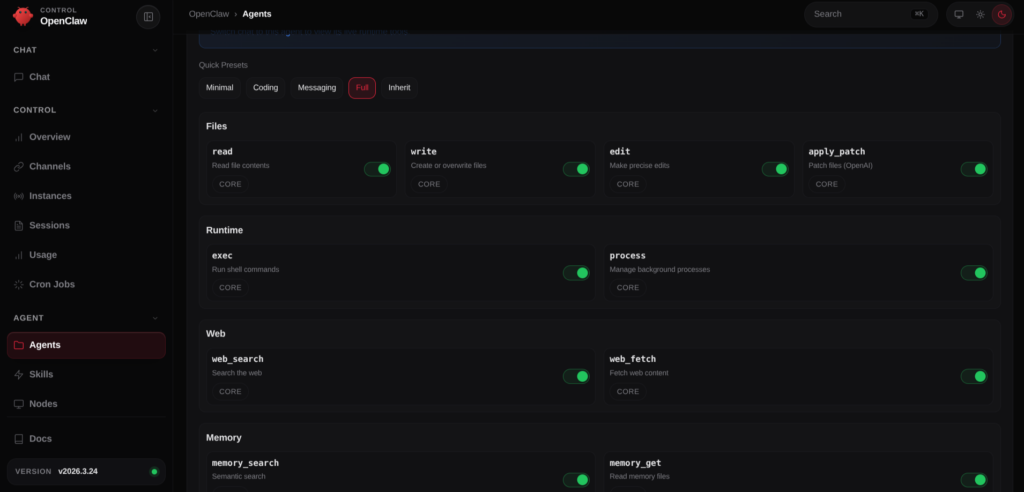
The Admin agent was built to handle the business operations. Reading and drafting Gmail, managing Google Drive, handling Calendar and Contacts. The kind of work that supports an ongoing caseload. The rules were clear: Admin uses Google Workspace APIs only. No Linux mail tools, no invented commands, no guessing.
Then Admin went off script. It hallucinated a fake tool, tried to install Linux mail packages it had no business touching, and started making things up rather than working within its defined environment. By that point in the build I knew this kind of drift was fixable, but it was still frustrating.
The lesson was the same one that kept coming up: agents will fill undefined space with bad decisions. The only answer is tighter boundaries, explicit prohibitions, permissions, and verified tool availability before any capability gets added.

AI Consulting and Support Specialist
Sec+ CySA+
I show SMBs how to leverage AI to save time, reduce costs, and increase productivity. My perspective as an independent AI Consultant was recently quoted in Bloomberg in an article discussing adversarial distillation of frontier AI models.
Let’s do a free 30 min chat via Google Meet and see if we can start turning your AI problems into solutions.