
At some point I looked up and realized I was wasting time. The build was deep enough that managing it through chat and the terminal was frustrating and slowing me down. The core problem was that a chat AI cannot see your full file structure. Every session turned into “show me what’s in this file,” then “now show me that one,” then making a change, then realizing that it touched something else that also needed updating. It was a lot of circles and unnecessary work.
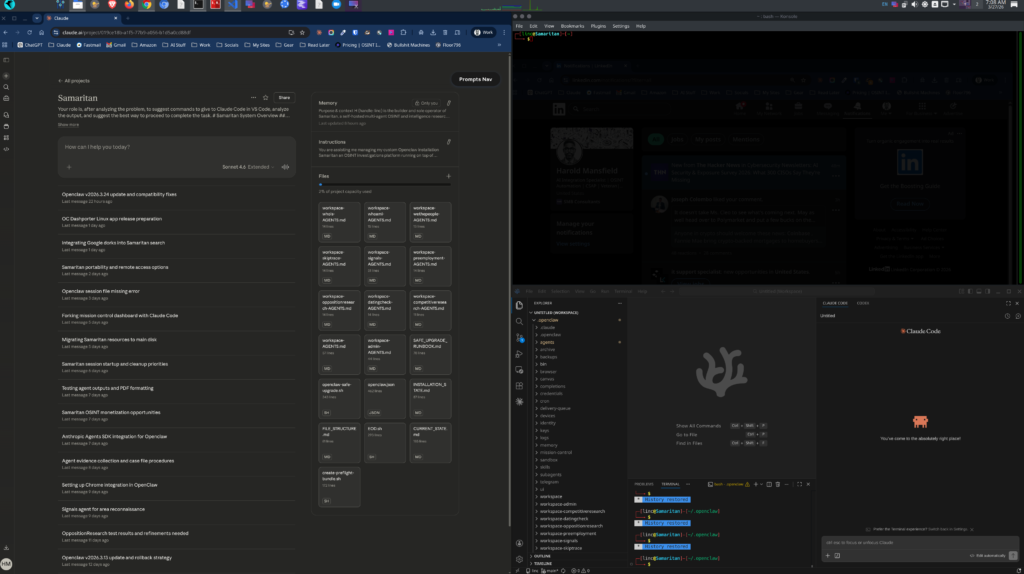
I had used VS Code before and knew it would help, so I connected it to my ChatGPT Pro account and opened the Samaritan project as a proper workspace. Suddenly the AI had full context. No more shuttling file contents back and forth. No more partial pastes or JSON corruption from editing in the terminal.
The bigger workflow shift came from figuring out how to use all the tools together. I would use a project chat to map out the plan first. Work through the architecture, think through the approach, build a complete and precise prompt. Then either execute in the terminal (saving tokens), or for more complicated things hand that finished prompt to Codex in VS Code to execute. Each prompt was complete, clearly scoped, and written in a way Codex could act on without ambiguity. It cut down on back and forth, reduced token usage, and produced much better results.
I later switched from Codex to Claude Code for the implementation work and found it significantly more reliable. The combination of a planning chat for strategy and Claude Code for execution became the development workflow that actually moved the build forward at pace.

AI Consulting and Support Specialist
Sec+ CySA+
I show SMBs how to leverage AI to save time, reduce costs, and increase productivity. My perspective as an independent AI Consultant was recently quoted in Bloomberg in an article discussing adversarial distillation of frontier AI models.
Let’s do a free 30 min chat via Google Meet and see if we can start turning your AI problems into solutions.